Lightning
Lightning is suited to smaller, frequent payments. Confirm the node is online and you have healthy channels. Payments are often fast, but final success still depends on channels, routing, and node status—trust balances and activity records.
Pay a Lightning Invoice (BTC)
- On Home, tap Send
- Paste or scan the counterparty’s Lightning invoice (commonly BOLT11)
- Verify amount and payment details
- Confirm, then check Activities or balances for the result
If capacity is insufficient, check the channel’s outbound (sendable) capacity—not only total channel size or on-chain balance.
Receive BTC (Lightning)
On Home, tap Receive. Lightning-related options usually include:
BTC Lightning Invoice
- Choose BTC Lightning Invoice
- Enter the amount as a positive integer in sats
- Generate the invoice and share it
- After the payer succeeds, refresh to check the balance
BTC Lightning Offer
- Choose BTC Lightning Offer
- Generate a shareable offer (the payer may set the amount at payment time—follow the UI)
- Provide the offer to the payer
Invoices and offers usually expire. Creating a receive code does not mean funds have arrived.
Send and Receive RGB over Lightning
Receive
- Home → Receive → RGB Lightning Invoice
- Select the asset and enter the amount
- Review capacity/fee prompts, then generate the invoice
- Share it with the payer
If there is no usable receive channel or capacity is too low, open or adjust channels first.
Send
- Ask the counterparty for an RGB Lightning invoice
- On Home, tap Send and paste the invoice
- Verify asset, amount, and prompts, then confirm
TIP
Sending starts from Home Send, not a separate “Send via Lightning” button on the asset detail page.
RGB Lightning payments usually need a usable channel for that asset, enough asset balance in-channel, and enough BTC capacity in the channel for the carrier. On-chain asset balance is not the same as Lightning-sendable balance.
Channel Management
Lightning payments rely on channels with peer nodes.
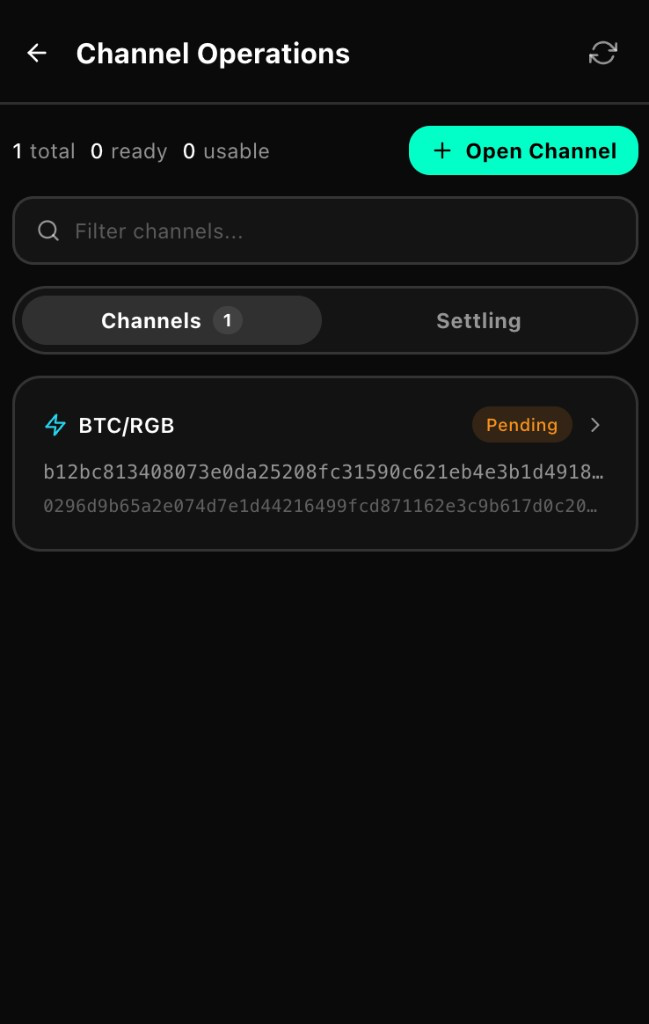
Open a channel
- Open Node in the bottom navigation
- Enter Channel operations (or the equivalent entry)
- Choose Open channel
- Select or connect a peer and set capacity in sats
- For an RGB channel, follow prompts for asset and amount, and confirm carrier/funding requirements
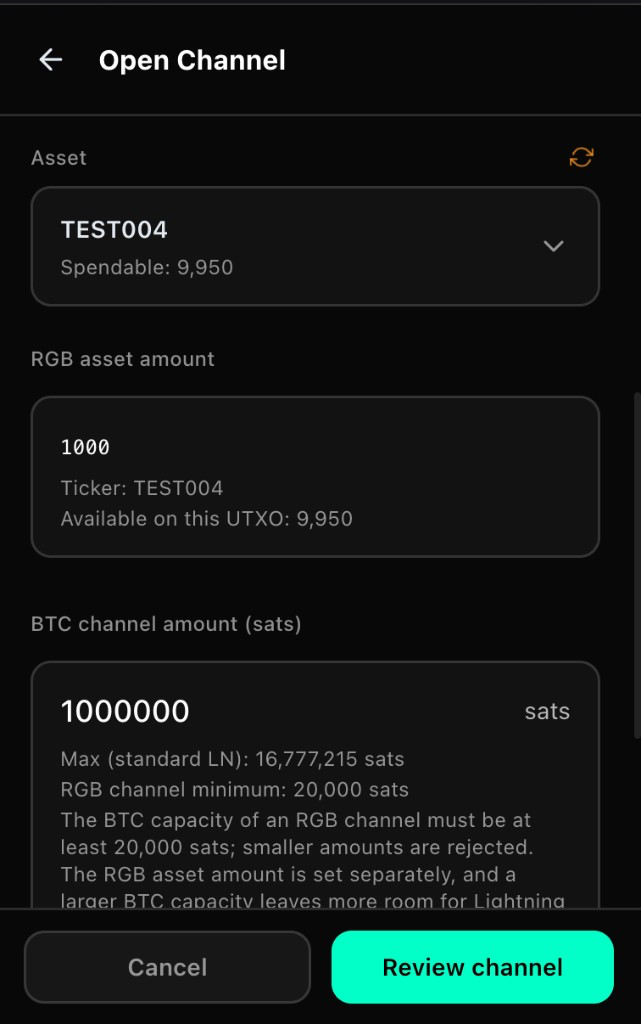
- Review the confirm screen, submit, and wait until the channel becomes usable
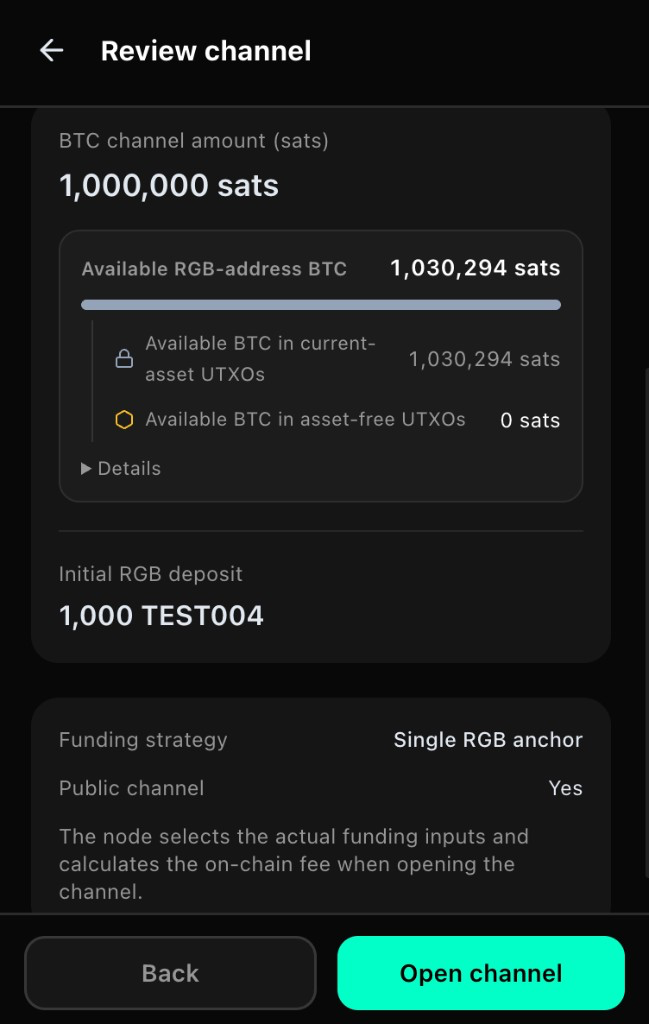
Opening a channel needs on-chain funds and confirmation time. A successful submit does not mean you can pay immediately—check status on the Node page.
Close a channel
From the Node page you can close a channel:
Prefer cooperative close when offered
If cooperative close cannot finish, the UI may offer force close; force close usually takes longer
After close, funds may enter Settling until on-chain steps finish and balances become spendable again
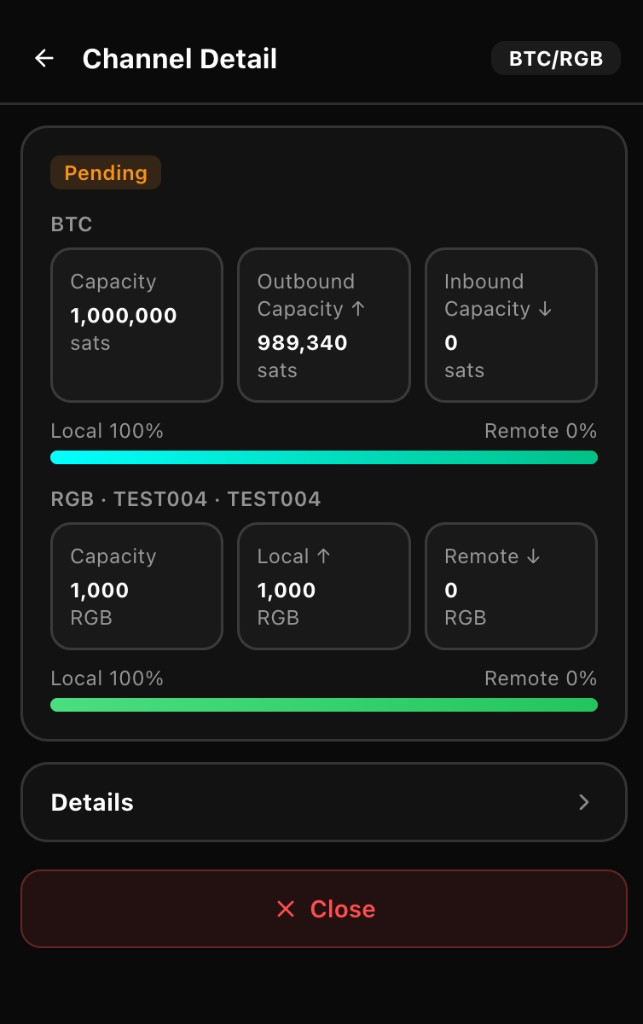
A successful close request does not mean funds are immediately available. Watch settlement progress and avoid conflicting retries.
Check status
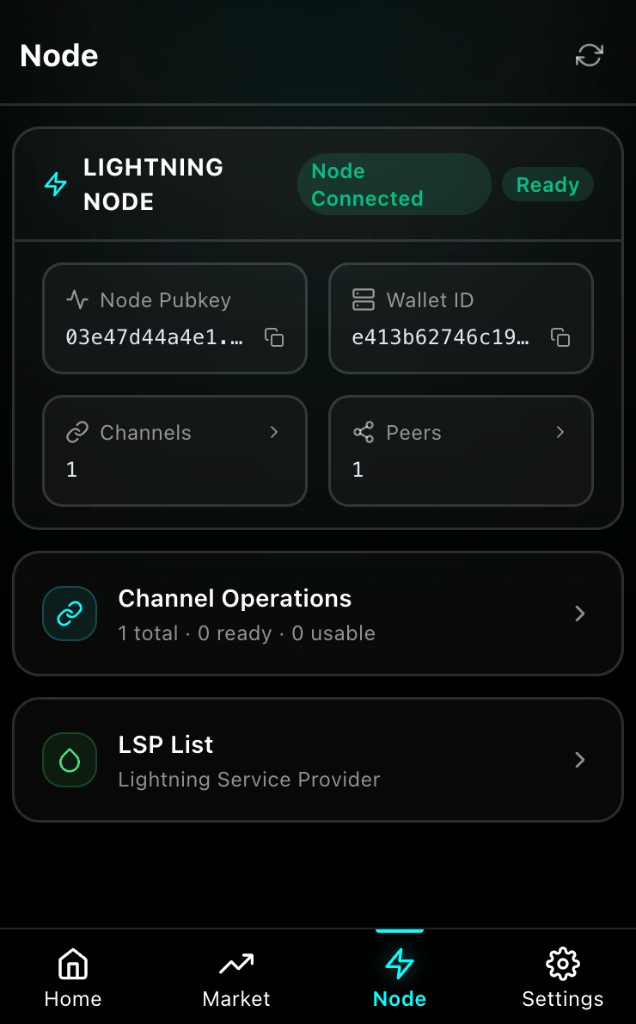
On Node you can review:
Channel capacity and send/receive-related amounts
Peer info and channel state
Whether the node is ready
Notes
- Make sure the node is ready before Lightning send/receive
- Distinguish on-chain balance, in-channel balance, outbound capacity, and inbound capacity
- If the result is unclear, check Activities and balances before paying again
- Opening or closing channels involves on-chain waiting—budget time and fees
Next Steps
Continue with Node.